

Commit Request
Use these methods to commit and uncommit Document Codes:
- Commit API
- Commit flag (
cmmt) in the invoice
Commit Endpoint
Endpoint
Method
Description
Request
Response
/api/v2/afc/commit
POST
Commits and Uncommits transactions. See Commit/Uncommit for more information.
The Commit Request
The Commit request is used to change the Commit flag (cmmt) for a given Document Code (doc). Let’s send a simple Commit call using Postman and inspect the results.
Headers
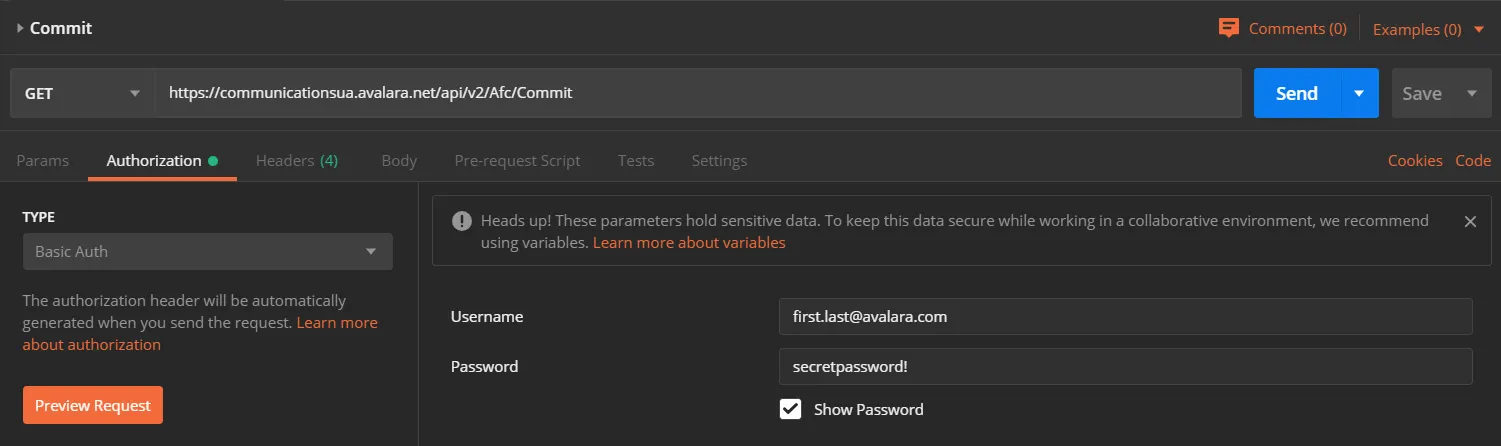
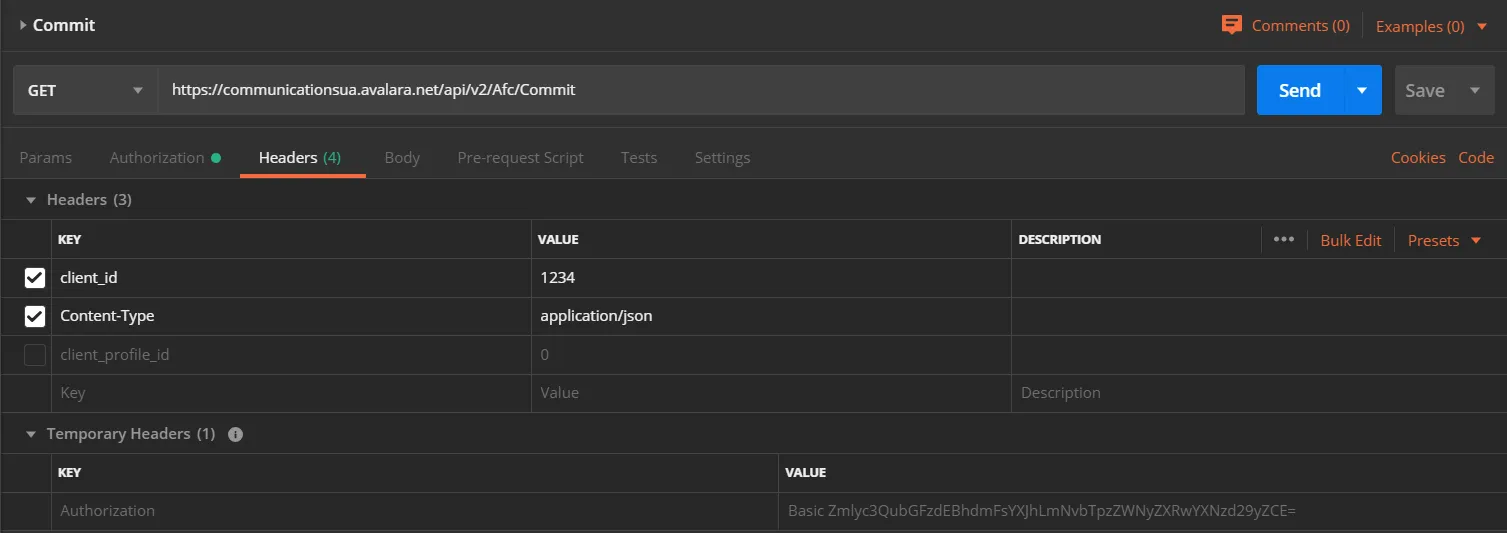
Add these mandatory headers to your request:
Authorizationusing basic HTTP authenticationclient_idContent-Type: application/json
Include the client_profile_id if you are using a client profile.
Postman Authorization Example
Postman Headers Example
Body
For the body of the POST request, copy and paste this example:
What are we sending?
- Document Code (
doc) “DocumentCode12345” - A request to commit Document Code “DocumentCode12345” by setting the Commit flag (
cmmt) totrue
truecommits all transactions with Document Code (doc) – “DocumentCode12345” in this examplefalseuncommits all transactions with Document Code (doc)
- Optional information about the Commit request using the Key Value Pair (
opt) object
Response
The Commit response contains a confirmation of success or failure:
-
trueindicates that the Document Code (doc) has been committed or uncommitted successfully (depending on the value of the Commit flag (cmmt)) -
falseindicates an error - details are contained in the Error response object
Part of the Communications REST v2 Developer Guide integration guide. Open the full “Commit Request” milestone on Avalara to see every page in this section.